
Austin Ofor
Posted on Jul 24, 2022
How to copy all the file names in a folder in Windows
If you need to copy a list of files from a folder in Windows there’s a better way to do that than copying and pasting each file title. Instead, you can set up a Notepad text document with all the file titles in a folder from the Command Prompt.
Firstly, open the Command Prompt by entering cmd in the Windows Start menu search box. Alternatively, press the Windows key + R to open Run; and then enter cmd.exe. That should then open the Command Prompt window in the shot below.
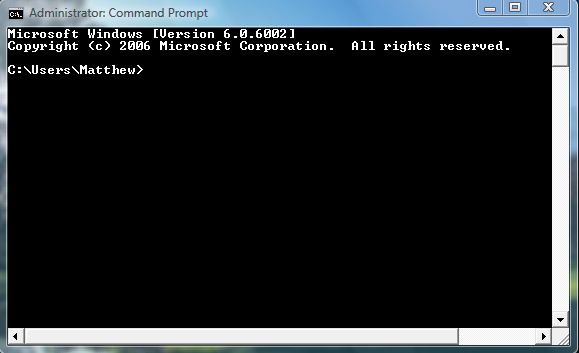
There you should go to the folder directory that includes the files to copy. To switch directories in the Command Prompt, enter CD followed by the folder titles. For example, to open the Windows folder you would enter CD\Windows.
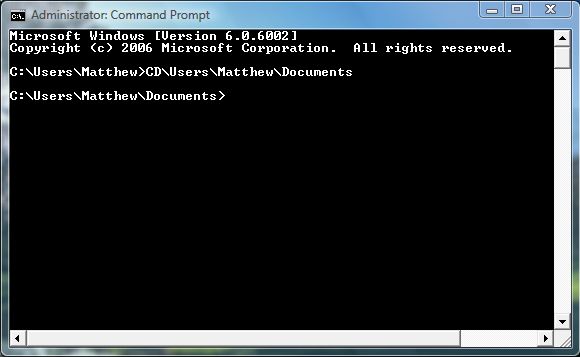
Once you’ve found the folder with the files in it, you should then enter the following: dir /b >filename.txt. Note that the filename is the title of the text document that will include the list of files. As such, you can change the filename to any other alternative document tile; but enter the rest of the command line exactly the same as below.
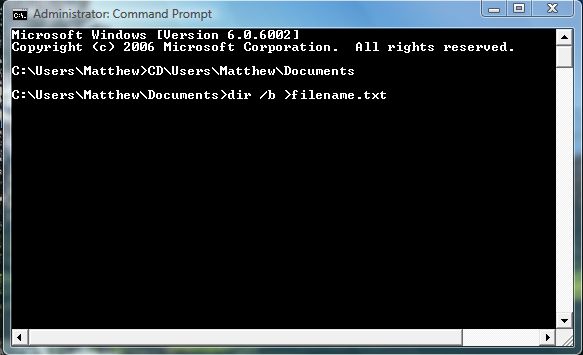
Then press Enter to set up the text document. Open Windows Explorer, and go to the folder that you copied the file titles from. You should now find that it includes a new text file with a list of all the files in the folder as below.
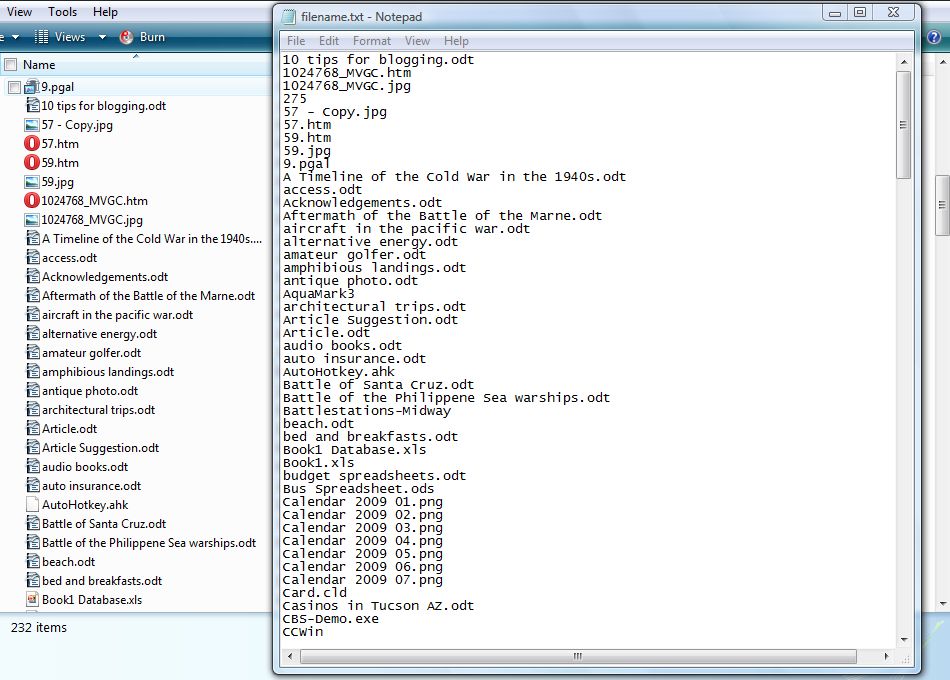
Now you can copy a variety of folder file lists much the same. They include both the file titles and formats, but little else. Those lists can be copied from Notepad into alternative software packages with which you can add line numbering, bullet points, etc if required.
